

Choosing between React Native and Flutter for your next mobile app? This detailed comparison helps you make an informed decision based on performance, developer experience, and business requirements.

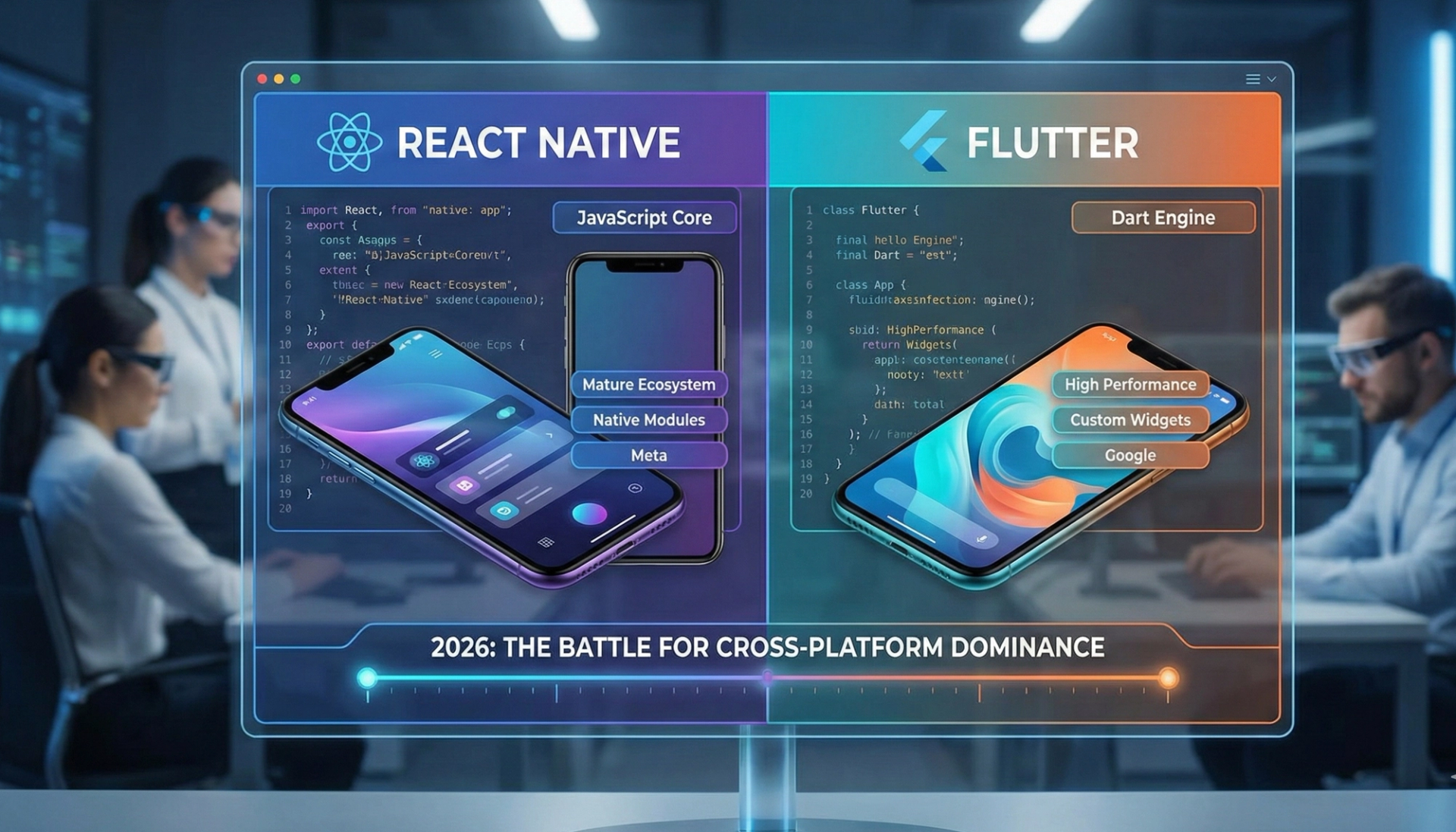
The short answer for 2026: React Native wins when you already have JavaScript developers and need native platform feel with deep third-party integrations. Flutter wins for custom, animation-heavy UI and for targeting web and desktop from the same codebase. Both are mature, both cut cost versus two native apps, and for most products the deciding factor is your team's existing skills, not benchmark charts. The rest of this comparison covers where the differences actually bite.
If you're building a mobile app that needs to work on both iOS and Android, you've likely encountered two dominant frameworks: React Native and Flutter. Both let you write code once and deploy to multiple platforms, potentially saving months of development time and substantial budget.
But which one should you choose for your project?
The answer depends on your specific needs, existing team skills, and project requirements. Both frameworks have matured significantly, and either can deliver excellent results. Understanding their strengths and limitations helps you make the right choice.
Traditionally, building for iOS and Android meant creating two separate applications. You needed Swift or Objective-C developers for iOS and Kotlin or Java developers for Android. This doubled development time, increased maintenance complexity, and required coordinating feature releases across platforms.
Cross-platform frameworks solve this problem by letting developers write code once that runs on multiple platforms. You maintain a single codebase, release features simultaneously, and reduce development costs by 30% to 60% compared to native development.
For businesses exploring mobile application AI development, both frameworks now support sophisticated AI features while maintaining the efficiency benefits of cross-platform development.

React Native, created by Meta (formerly Facebook), launched in 2015 and quickly became the most popular cross-platform framework. It lets developers use JavaScript and React, the popular web framework, to build mobile apps.
React Native uses JavaScript to control native UI components. Your code runs in a JavaScript engine while the UI renders using actual native iOS and Android components. This hybrid approach delivers near-native performance and authentic platform appearance.
When you build a button in React Native, it renders as a native UIButton on iOS and a native Button on Android. Users can't tell the difference from a fully native app.
Massive Ecosystem
React Native benefits from the enormous JavaScript ecosystem. Thousands of libraries and packages solve common problems. Need analytics? Payment processing? Maps? Countless ready-made solutions exist.
This extensive ecosystem means faster development. Developers rarely need to build functionality from scratch.
Familiar Technology
If you have web developers familiar with JavaScript and React, they can quickly learn React Native. The concepts transfer directly. This makes hiring easier and reduces training time.
The global JavaScript developer pool is massive, making React Native talent readily available in USA, UK, and Australian markets.
Hot Reload
Developers can see changes instantly without recompiling the entire application. This speeds up development and makes iteration faster.
Native Module Integration
When you need platform-specific functionality, React Native lets you write native code in Swift, Objective-C, Java, or Kotlin and integrate it seamlessly.
Strong Corporate Backing
Meta uses React Native for Facebook, Instagram, and Messenger. Microsoft uses it for Office and Xbox apps. This corporate backing ensures continued development and support.
Bridge Performance Overhead
The JavaScript-to-native bridge introduces some performance overhead. For most apps, this is negligible. For graphics-intensive games or apps with complex animations, this can cause issues.
Navigation Complexity
Building navigation that feels native on both platforms requires careful attention. Several navigation libraries exist, each with trade-offs.
Native Knowledge Still Needed
While React Native handles much of the complexity, developers still need some understanding of iOS and Android to debug platform-specific issues or implement custom native modules.
Flutter, created by Google and released in 2017, represents a different approach to cross-platform development. Instead of using platform-native components, Flutter draws its own UI using the Skia graphics engine.
Flutter uses Dart, a programming language also created by Google. Apps compile to native ARM code for both iOS and Android, avoiding the JavaScript bridge entirely.
Flutter provides its own UI components that look and behave consistently across platforms. These widgets can mimic native iOS or Android design, or present entirely custom designs.
Performance
Flutter compiles to native code without a JavaScript bridge, delivering performance closer to fully native apps. This makes Flutter excellent for animations, transitions, and graphics-intensive applications.
Consistent UI Across Platforms
Since Flutter draws its own UI, your app looks identical on iOS and Android unless you deliberately customize for each platform. This consistency can be either an advantage or disadvantage depending on your goals.
Hot Reload
Like React Native, Flutter supports hot reload for instant feedback during development.
Growing Ecosystem
While smaller than JavaScript's ecosystem, Flutter's package repository has grown rapidly. Most common needs have existing solutions.
Single Codebase for Multiple Platforms
Flutter now supports iOS, Android, web, Windows, macOS, and Linux from a single codebase. This versatility appeals to teams needing broad platform support.
Strong Tooling
Flutter's development tools are excellent. The framework includes robust debugging, testing, and performance profiling tools.
Learning Curve
Dart is less common than JavaScript. If your team knows JavaScript, React Native is easier to learn. If you're starting fresh, Dart is relatively straightforward.
Larger App Size
Flutter apps tend to be slightly larger than React Native apps because they include the Flutter engine. This matters less in 2026 with modern device storage, but it's worth noting.
Smaller Talent Pool
Fewer developers know Flutter compared to React Native. Hiring can be slightly more challenging, though this gap has narrowed as Flutter adoption grows.
Less Native Feel by Default
Since Flutter draws its own UI, apps don't automatically adopt native platform conventions. Creating platform-specific experiences requires deliberate effort.

Flutter generally delivers better performance, especially for animations and graphics-intensive applications. The compiled Dart code and direct rendering provide an edge over React Native's JavaScript bridge.
For most business applications, this difference is imperceptible to users. For games, animations, or apps with complex visual effects, Flutter's performance advantage becomes meaningful.
React Native's massive ecosystem of pre-built libraries often enables faster development for common business applications. Need authentication, payment processing, or analytics? Ready-made solutions exist.
Flutter's simpler architecture sometimes enables faster development for custom UI-heavy applications. You spend less time fighting with platform-specific quirks.
For typical business apps, development speed is roughly comparable.
Both frameworks enable substantial code sharing between iOS and Android, typically 70% to 90%. Platform-specific features always require some unique code.
Flutter offers slightly better code reuse because its consistent rendering means less platform-specific UI code.
This is subjective. Developers familiar with JavaScript and React prefer React Native. Those who enjoy strongly-typed languages and Flutter's widget system prefer Flutter.
Both offer excellent development tools, hot reload, and good documentation.
React Native has a larger, more mature ecosystem. More third-party libraries, more Stack Overflow answers, more tutorials exist.
Flutter's community is growing rapidly and is highly enthusiastic. While smaller, it's extremely active and helpful.
React Native uses actual native components, making it feel more native by default. Adopting new iOS or Android features happens naturally as components update.
Flutter requires building or finding widgets that mimic native components. This gives more control over appearance but requires more deliberate effort to match platform conventions.
React Native Excels For:
Flutter Excels For:
For organizations implementing AI-powered mobile applications, both frameworks support machine learning integration, though implementation approaches differ.
Both frameworks have significant market presence. React Native maintains a lead in overall adoption, used by approximately 42% of developers building cross-platform apps. Flutter has grown to about 39%, closing the gap significantly.
In enterprise markets across USA, UK, and Australia, React Native remains more common due to its JavaScript foundation and existing web development teams.
Startups and companies building highly visual applications increasingly choose Flutter for its performance and design flexibility.
Consider these factors when choosing between React Native and Flutter.
Do you have JavaScript developers? React Native lets them be immediately productive. Starting with Flutter means learning Dart.
Do you have native iOS or Android developers? Either framework works, but React Native's architecture may feel more familiar.
Is your app graphics-intensive with complex animations? Flutter's performance advantage matters.
Does your app need extensive third-party integrations? React Native's ecosystem provides more ready-made solutions.
Do you need a highly polished, platform-specific feel? React Native achieves this more naturally.
Are you building exclusively for mobile? Both work well.
Do you need web and desktop versions eventually? Flutter's multi-platform support provides a path forward.
Both frameworks enable fast development compared to native apps. If your team already knows JavaScript, React Native offers a shorter path to productivity.
React Native developers are slightly more common and sometimes less expensive to hire due to the larger JavaScript talent pool.
Flutter developers command competitive salaries, though availability is growing rapidly.
For businesses researching development costs, both frameworks significantly reduce expenses compared to building separate native apps.
Facebook and Instagram use React Native for significant portions of their apps. These applications serve billions of users, demonstrating the framework's scalability.
Microsoft rebuilt Office, Outlook, and Xbox apps using React Native, reducing development time while maintaining quality.
Bloomberg delivers their professional terminal experience to mobile devices with React Native.
Discord chose React Native for their iOS app, enabling their small team to maintain feature parity with Android.
Google Pay uses Flutter to deliver consistent experiences across platforms.
BMW built their car connectivity app with Flutter, prioritizing smooth animations and custom UI.
eBay chose Flutter for their motors app, needing performance for large data sets and complex filtering.
Alibaba uses Flutter in their Xianyu app, serving over 50 million users with smooth performance.
React Native uses a bridge architecture. JavaScript code runs in one thread, native code in another. They communicate through an asynchronous bridge. This architecture enables using native components but introduces some overhead.
Flutter uses a different approach. Dart code compiles to native ARM code. The Flutter engine, written in C++, handles rendering. This eliminates the bridge overhead but means Flutter draws its own UI rather than using platform-native components.
JavaScript (React Native)
JavaScript is dynamically typed by default, though TypeScript adds optional static typing. The language is extremely flexible but can lead to runtime errors if not carefully managed.
JavaScript's event-driven, asynchronous nature fits mobile development well.
Dart (Flutter)
Dart is strongly typed, catching more errors at compile time. The language feels familiar to developers from Java, C#, or JavaScript backgrounds.
Dart was designed specifically for building UIs, including features like asynchronous programming and hot reload built into the language.
Both frameworks provide robust testing capabilities.
React Native uses Jest for unit testing and Detox for end-to-end testing. The JavaScript testing ecosystem is mature and comprehensive.
Flutter includes testing tools directly in the framework. Widget testing, integration testing, and unit testing are built-in and well-documented.
If you have an existing native app and are considering moving to a cross-platform framework, understand that migration is a significant undertaking.
Most teams migrate incrementally, replacing parts of the app with cross-platform code while keeping native code where needed. Both frameworks support this hybrid approach.
Complete rewrites are expensive and risky. Gradual migration lets you validate the framework choice before fully committing.
Both React Native and Flutter have strong futures. Neither is likely to disappear or become obsolete.
React Native benefits from Meta's continued investment and the massive JavaScript ecosystem. As web and mobile continue converging, React Native's position strengthens.
Flutter's multi-platform vision positions it well as apps expand beyond mobile. Google's backing and rapid improvement make Flutter increasingly attractive.
The frameworks are also influencing each other. React Native has improved performance, while Flutter has enhanced its ecosystem. This competitive pressure benefits developers using either framework.
Some teams use both frameworks in different projects or even within the same organization.
You might use React Native for standard business applications while choosing Flutter for a highly visual companion app.
Some organizations maintain native iOS and Android codebases for flagship apps while using cross-platform frameworks for secondary apps or internal tools.
Whichever framework you choose, getting started is straightforward.
Install Node.js and npm, then use Expo for the simplest setup. Expo provides a development environment, tooling, and services that simplify React Native development. The official React Native environment setup guide walks through both paths.
For more control, use React Native CLI, which requires installing Xcode for iOS development and Android Studio for Android.
Download the Flutter SDK, install it on your system, and use Flutter CLI commands to create and run projects.
Flutter requires Xcode for iOS development and Android Studio for Android, just like React Native.
Both frameworks have excellent documentation and tutorials.
A chat app is a useful stress test for this comparison in 2026, because it leans on the three things a feature table hides: long scrolling message lists, live updates, and notifications that behave on both platforms.
Message lists are the real performance test. Chat means thousands of items, inverted scrolling, images mixed with text, and a typing indicator re-rendering constantly. React Native handles this with FlashList and careful memoization. Flutter's own rendering engine gives smooth list performance with less tuning, which is why chat UIs with heavy custom styling often land there.
Realtime is a tie. Both frameworks speak websockets and work with Firebase, Stream, or a custom socket backend equally well, because the realtime layer lives outside the UI framework.
Push notifications favor whichever platform your team knows better. The pain lives in platform configuration, APNs entitlements on iOS and notification channels on Android, not in the framework itself.
So for a react native vs flutter chat app development comparison, the practical split is: pick React Native when the chat sits inside a larger JavaScript product, and pick Flutter when the chat UI is heavily branded and animation-dense. Either way, budget the hard weeks for the backend, moderation, and delivery receipts, not the message bubbles.
Both ship production chat apps. React Native is the better fit when your team writes JavaScript and the chat lives inside a bigger React product; FlashList and the new architecture handle long message lists well. Flutter is the better fit for heavily customized, animation-dense chat UI, because its rendering engine needs less tuning to keep long lists smooth.
For most screens the difference is no longer visible. Flutter compiles to native code and draws its own pixels, while React Native's new architecture removed the old bridge bottleneck. Measurable gaps show up in animation-heavy and graphics-heavy screens, where Flutter usually needs less optimization work to stay at 60fps.
Flutter targets mobile, web, and desktop from a single codebase out of the box. React Native covers iOS and Android, and pairs with React Native Web when you want to share code with a web app, which works best when the web app is already React.
The framework choice moves cost less than your team does. Either one roughly halves the work versus building two native apps, and the budget risk lives in the features around the app: backend, integrations, and release engineering. Hiring against your existing skills is the reliable way to keep the build cheap.
Choosing between React Native and Flutter depends on your specific situation rather than one being objectively better.
React Native excels when you have JavaScript expertise, need extensive third-party integrations, or want maximum platform-native feel. Its mature ecosystem and large developer community provide substantial advantages.
Flutter shines for apps with complex custom UI, graphics-intensive applications, or projects needing multi-platform support beyond mobile. Its performance and consistency across platforms make it compelling for certain use cases.
Both frameworks deliver quality results and significant cost savings compared to native development. Many successful apps use either framework.
The best choice aligns with your team's skills, project requirements, and long-term strategy. Evaluate both frameworks based on your specific needs rather than following trends or hype.
A serial maker of SaaS products and AI agents, I’ve built and launched 10+ tools, grown products to thousands of users, and taken multiple ventures. I share the process what works, what breaks, and how builders can ship faster and smarter. Previously a data scientist at a Big Four consulting firm.


