

Wearable app development isn't a smaller phone app. Battery, glanceability, and standalone connectivity are separate engineering problems watchOS and Wear OS force on you.
Codestreaks Team
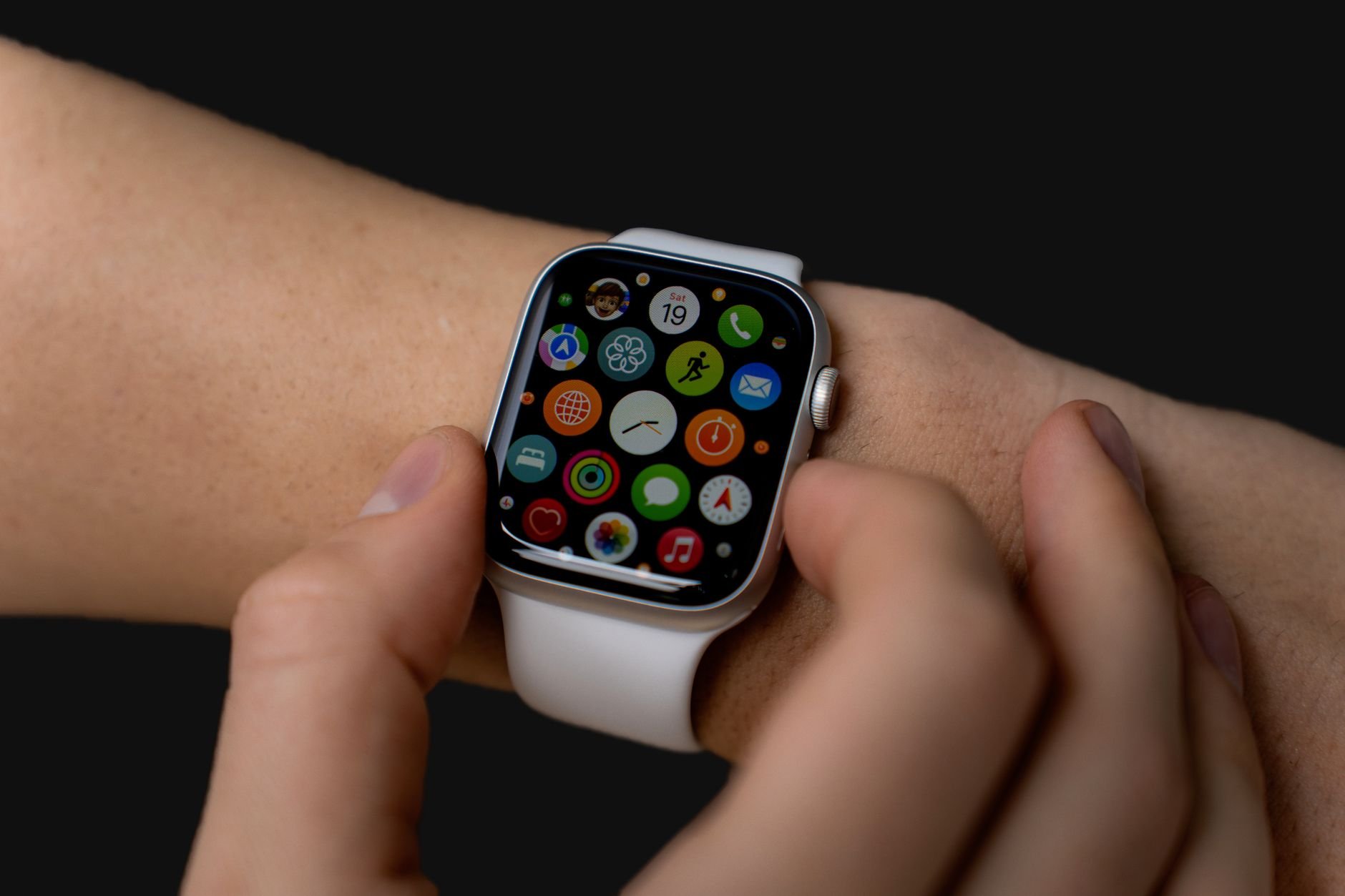
A client came to us wanting to "port" their existing iPhone app to Apple Watch. Two weeks into scoping, it became clear that wasn't the actual project. A watch app isn't a smaller version of a phone app running on a smaller screen. It's a different product with a two-second attention budget, a battery that can't absorb a background process running wild, and, for the standalone case, no guarantee the phone is even nearby. Wearable app development is its own discipline, and most of the phone-app instincts a team walks in with actively work against them.
We've shipped 30+ mobile projects to production since 2024. This covers what actually changes when the target device moves from the phone to the wrist: the glanceability constraint, the battery constraint, the standalone-connectivity decision, and where a wearable companion app earns its build cost instead of becoming an ignored extension nobody opens.
A phone app gets seconds, sometimes minutes, of a user's attention per session. A watch app gets, on average, under five seconds. The user raised their wrist, glanced, and either got what they needed or lowered their arm. If the information isn't legible at a glance, in that window, the feature doesn't exist for practical purposes, regardless of what's technically rendered on screen.
That constraint changes the whole information architecture, not just the visual design:
Before any screen gets designed, one question decides the entire technical shape of the project: does this watch app need to work when the phone isn't nearby?
Companion apps (watchOS's WatchConnectivity framework, Wear OS's Data Layer API) relay through the paired phone. Simpler to build, cheaper to ship, and fine for use cases where the phone being present is a reasonable assumption, most notification-driven and quick-glance utility apps fit here.
Standalone apps run independently, with their own network access and, on watchOS, their own background execution budget. This is the right call for anything that needs to function during a run, a hike, or a commute where the phone might be left behind, health monitoring, safety features, or offline logging. It's also a materially bigger build: cellular connectivity handling, independent auth, and a background execution model that's far more restrictive than a phone's.
Teams that don't make this decision explicitly and early tend to default into a companion app by accident, discover mid-build that a core feature needs standalone operation, and end up re-architecting the connectivity layer under deadline pressure. We scope this question in the first working session, before a single screen gets designed, for exactly that reason.
A watch's battery is a fraction of a phone's, and the OS enforces that reality aggressively. watchOS and Wear OS both throttle background refresh far harder than iOS or Android proper, and a poorly behaved background task doesn't just drain battery, it gets the app's background privileges revoked by the OS, silently, with no user-facing error. The failure mode is invisible: the feature that depended on background refresh just stops updating, and nobody, including your own QA process if it's only testing on a charger, notices until a user reports it days later.
The practical rule: request background execution for the minimum necessary, batch network calls instead of polling, and use the platform's scheduled background refresh APIs rather than a custom polling loop. Anything that can wait until the user opens the app should wait. On a phone, background refresh mostly costs a little battery. On a watch, it's the difference between a feature that works and one the OS quietly disables.
A meaningful share of wearable apps touch health or biometric data (heart rate, activity, sleep), and both platforms treat that category with more scrutiny than general app data. On watchOS, HealthKit permissions are granted per data type, and Apple's App Store guideline 5.1.3 explicitly prohibits using health data for advertising, a rule review teams actually check, not a formality. Wear OS's equivalent runs through Android Health Connect, the on-device health datastore that replaced the old Google Fit APIs after Google shut those down in 2025.
Our posture on this is unchanged from every health-adjacent build we do, including the deeper privacy discussion in our healthcare mobile app development guide: no advertising SDKs anywhere near health data, a plain-language disclosure of what's collected, and deletion that actually deletes. If the wearable app is a companion to a broader fitness product built around workout logging and HealthKit sync on the phone side, we cover that fuller build in our fitness app development guide. This piece is specifically about the watch-native app itself, not the phone app that pairs with it.
The client mentioned at the top wanted their existing workout log mirrored on the watch face. What they actually needed, once we mapped real usage, was a single complication showing current heart rate zone and a two-tap "start workout" action, nothing else surfaced on the watch. The full logging experience stayed on the phone, where a real keyboard and screen real estate make it usable. Building the watch app as a shrunken clone of the phone app would have shipped a feature nobody used at a glance; building it as a narrow, glanceable companion shipped something people actually left running.
A focused wearable companion app (one or two complications, notification handling, companion connectivity to an existing phone app) is usually the smaller end of our range, $4,000-$10,000, 3-4 weeks. A standalone wearable app with independent connectivity, its own auth, and background health monitoring runs closer to $10,000-$22,000 over 5-7 weeks, because the connectivity and battery-management work is genuinely separate engineering, not a smaller version of the phone build. These bands come from our own project data across mobile engagements, not an industry average. If you're still deciding which platform stack to build on, we cover that choice in our mobile app development programming languages guide.
Only if the use case requires it, running, hiking, safety monitoring where the phone might be left behind. Most notification and quick-glance utility apps are fine as a phone-dependent companion, which is significantly cheaper and faster to build. Decide this explicitly before any screen design starts.
A wearable app is about the software running natively on the watch itself: complications, glanceable screens, standalone connectivity. A fitness app is usually a phone app that syncs workout data to and from a wearable via HealthKit or Health Connect. Many products need both, built as separate, coordinated pieces.
Most often the OS silently revoked background execution privileges after the app requested more background time than the platform's throttling allows. There's no user-facing error, so it looks like a random bug. Request the minimum background execution necessary and use the platform's scheduled refresh APIs rather than custom polling.
Our fixed-price range is $4,000 to $22,000 depending on scope. A companion app with basic complications sits at the low end; a standalone app with independent connectivity and health monitoring sits toward the higher end.
Whichever platform your actual first users are on. Porting a well-scoped companion or standalone architecture to the second platform is far cheaper than building both simultaneously without validating the concept on one first.
Written by the Codestreaks team; drafting is AI-assisted with human editing over our own mobile engagement data and the companion-app engagement described above.
If you're scoping a wearable build, we do mobile app development and take on two new engagements a quarter. Start a project or book a free 30-minute scoping call, we respond within two business days.


